
Windows မွာ Disk Cleanup Tool ပါရွိေပမယ့္ CCleanerက Disk Cleanup Tool မလုပ္ေပးနိုင္တဲ့ စြမ္းေဆာင္ရည္ေတြ ပါရွိပါတယ္။အသုံးျပဳရတာလည္း လြယ္ကူေကာင္းမြန္တဲ့ အတြက္ကြန္ျပဴတာတိုင္းမွာ ေဆာင္ထားသင့္တဲ့ Applicationတစ္ခုပါ။ CCleanerက Temporary Files , Private Dataေတြ ျဖစ္တဲ့ အင္တာနက္အသုံးျပဳမွု History, Cache, Cookies ေတြကို ရွင္းေပးနိုင္ပါတယ္။ Drive-Wiping Tool, Registry Cleanerစတဲ့ Tools ေတြလည္း ပါရွိပါတယ္။ ဒါေပမယ့္ ေတာ္ေတာ္မ်ားမ်ားက CCleanerကို ေကာင္းမြန္စြာ အသုံးမခ်တတ္ေသးတာကို ေတြ႕ရပါတယ္။အဲဒီအတြက္ ဒီေဆာင္းပါးမွာ CCleanerကို ေကာင္းမြန္စြာ အသုံးခ်နည္းေတြကို ေရးပါမယ္။
ဖ်က္မယ့္ အရာေတြကို ေသခ်ာေရြးခ်ယ္ပါ။
CCleanerက Default အားျဖင့္ ဖ်က္ပစ္မယ့္ဖိုင္ေတြကို အလိုလိုေရြးခ်ယ္ေပးမွာပါ။ CCleanerကို အျမဲမဖ်က္ခိုင္းသင့္တဲ့ ဖိုင္တစ္ခု ရွိပါတယ္။Caches ဖိုင္ေတြဟာ Temporary Files ေတြျဖစ္ၿပီး သင္ၾကည့္တဲ့ဆိုက္ေတြက ပုံေတြ၊ ဖိုင္ေတြကို သင့္ကြန္ျပဴတာမွာ သိမ္းထားပါတယ္။ရည္ရြယ္ခ်က္ကေတာ့ ေနာက္တစ္ခါ အဲဒီ၀က္ဆိုက္ေတြ ၾကည့္ရင္ပုံေတြ၊ စာေတြကို ထပ္ၿပီး ေဒါင္းလုပ္လုပ္စရာ မလိုဘဲ Browing Speed ကို လၽွင္ျမန္ေစဖို႔ပါ။ တစ္ဖက္ကၾကည့္ရင္ေတာ့ Caches ဖိုင္ေတြကို မရွင္းရင္ သင့္ Privacyအတြက္ စိုးရိမ္စရာ ရွိပါတယ္။ Privacyအတြက္ စိုးရိမ္စရာ မလိုရင္ Caches ဖိုင္ေတြကို အျမဲတမ္းရွင္းစရာ မလိုပါဘဲ တစ္ခါတစ္ေလမွသာရွင္းပါ။

Windows Explorer ရဲ့ Thumbnail Cache ေတြကိုရွင္းရင္လည္း စက္ကိုေလးလံေစပါတယ္။ ပုံေတြ အမ်ားႀကီးရွိတဲ့ Folderေတြကို ျပန္ဖြင့္ရင္ ပိုမိုသိသာ ေစပါတယ္။

CCleanerက Windows,Programsေတြရဲ့ Most-Recently-Used Lists(MRUs)ေတြကိုလည္း Defaultအားျဖင့္ ရွင္းလင္းပါတယ္။အဲဒီ Listေတြဟာ Storage Space အနည္းငယ္သာ ေနရာယူတာပါ။ သင္အသုံးျပဳေနက် Programs ေတြရဲ့ MRUs ေတြကို မဖ်က္ပစ္ခ်င္ရင္ သက္ဆိုင္ရာ Programsကို Uncheck လုပ္ပါ။
Important Cookies ေတြကို Whitelist လုပ္ပါ။
CCleanerက Cookies အားလုံးကို Default အားျဖင့္ ရွင္းလင္းေပးပါတယ္။ သင္အသုံးျပဳေနက် ၀က္ဆိုက္ေတြကို ခဏခဏ Login လုပ္စရာ မလိုေအာင္ အဲဒီ ဆိုက္ေတြရဲ့ Cookies ေတြကို မရွင္းဘဲနဲ႔ Whitelist လုပ္ထားလို႔ ရပါတယ္။ Google Account , Microsoft အေကာင့္ေတြမွာ 2-Step Verification အသုံးျပဳရင္ အဲဒီ Cookie ေတြ ရွင္းပစ္ရင္ ဒုတိယ Verification Code ကို ျပန္ရိုက္ထည့္ေပးရပါတယ္။ အဲဒီ Cookiesေတြကိုလည္း Whitelist လုပ္ထားသင့္ ပါတယ္။ ဒီလိုလုပ္ဖို႔ Options ရဲ ့ဘယ္ဘက္က Pane မွာ Right Click ႏွိပ္ၿပီး Intelligent Scan ကိုႏွိပ္ပါ။ CCleanerက Google, Hotmail, Yahoo Mail ေတြရဲ့ Cookies ေတြကို Whitelist ထဲ ထည့္ေပးပါလိမ့္မယ္။ တစ္ျခားဆိုက္ေတြက Cookies ေတြကိုလည္း Manual ထည့္နိုင္ပါတယ္ ။ Search Box ပါရွိၿပီး သင္ၾကည့္ေနက် ၀က္ဆိုက္ေတြရဲ့ Cookies ေတြကို ရွာၿပီး Whitelist ထဲ ထည့္နိုင္ပါတယ္။

Registry Cleaner ေတြသုံးရင္သတိထားပါ။
Windows Registry မွာ Registryေတြ ေထာင္ဂဏန္း၊ ေသာင္းဂဏန္း ပါရွိပါတယ္။ Registry အနည္းငယ္ကို ရွင္းေပးျခင္းျဖင့္ Performance သိသာစြာ ေကာင္းမြန္လာမွာ မဟုတ္ပါဘူး။ Registry Cleanerေတြဟာ အေရးႀကီးတဲ့ Registry ေတြကို မွားယြင္းၿပီး ဖ်က္မိတတ္ ၾကပါတယ္။ အဲဒီအတြက္ Registry Cleanerေတြကို သုံးမယ္ဆိုရင္ သတိထားၿပီး သုံးသင့္ပါတယ္။

Registry Cleaner ကို အသုံးမျပဳခင္မွာ Backup လုပ္ထားသင့္ပါတယ္။ အမွားအယြင္း တစ္ခုခု ျဖစ္ရင္ Restore ျပန္လုပ္ နိုင္ပါတယ္။ Registry Cleaner ေတြနဲ႔ ရွင္းၿပီး ရက္အနည္းငယ္ အၾကာအထိ အမွားအယြင္း မရွိရင္ေတာ့ Backup လုပ္ထားတာကို ဖ်က္ပစ္နိုင္ပါတယ္။

Startup Programs ေတြကို Manage လုပ္ပါ။
တစ္ခ်ိဳ႕ Programs ေတြက ကြန္ျပဴတာ စစဖြင့္ခ်င္းမွာ Run တတ္ ၾကပါတယ္။ အဲဒီအတြက္ ကြန္ျပဴတာ Boot တက္တဲ့ အခ်ိန္ ၾကာျမင့္ေစပါတယ္။ မလိုအပ္တဲ့ Programs ေတြကို Startus မွာ မ Run ေအာင္ CCleaner မွာ ျပဳလုပ္နိုင္ပါတယ္။ Delete မလုပ္ဘဲ Disable လုပ္သင့္ပါတယ္။ ဒါမွေနာက္ပိုင္း ျပန္ၿပီး သုံးခ်င္ရင္ Enable ျပန္လုပ္နိုင္မွာပါ။

Drivesေတြကို Wipe လုပ္ပါ။
Windows မွာ ဖိုင္ေတြကို ဖ်က္ရင္ တကယ္ မဖ်က္ပစ္ေသးဘဲ သင့္ကြန္ျပဴတာမွာ ရွိေနပါေသးတယ္။ သင္ဖ်က္လိုက္တဲ့ ဖိုင္ေတြကို Free Space အေနနဲ႔သာ သတ္မွတ္ထားတာ ျဖစ္ၿပီး တစ္ျခား Dataေတြ Overwrite မလုပ္ခင္အထိ ရွိေနပါေသးတယ္။ အဲဒီအတြက္ File Recovery Programs ေတြနဲ႔ ျပန္ရွာနိုင္ပါတယ္။ အေရးႀကီးတဲ့ Personal ဖိုင္ေတြကို ခ်က္ခ်င္း ဖ်က္ခ်င္ရင္ CCleaner က Drive Wiper ကျပဳလုပ္ေပးနိုင္ပါတယ္။ Free Space Only ကို ေရြးခ်ယ္ေပးဖို႔ အေရးႀကီးပါတယ္။ မဟုတ္ရင္ Drive တစ္ခုလုံးကို Wipe လုပ္ပစ္မွာပါ။ Security မွာေတာ့ 1 pass ဆိုရင္ အဆင္ေျပပါတယ္။ ပိုၿပီး စိတ္ခ်ခ်င္ရင္ေတာ့ Multiple Passes ကိုေရြးခ်ယ္နိုင္ပါတယ္။ Hard Drive တစ္ခုလုံးက ေဒတာေတြကို ဖ်က္ခ်င္ရင္ေတာ့ Entire Driveကို ေရြးခ်ယ္ပါ။ သင့္ကြန္ျပဴတာကို ေရာင္းေတာ့မယ္ ဆိုရင္ ေဒတာေတြ သူမ်ား ျပန္ရွာမေတြ႕ နိုင္ေအာင္ ျပဳလုပ္ဖို႔ အသုံး၀င္ပါတယ္။

Cleaner ကိုအသံုးျပဳတိုင္း Free Space ေတြကို ရွင္းေပးဖို ့ Advanced မွာ Wipe Free Space ကိုအမွန္ျခစ္ေပးပါ။ ဒါဆိုရင္ Cleaner အသံုးျပဳတိုင္း Free Space ေတြကို ပါရွင္းေပးမွာျဖစ္ၿပီး သာမာန္ထက္ေတာ့ အခ်ိန္ပိုၾကာမွာျဖစ္တာကိုသတိျပဳပါ။

ဖိုင္ေတြကို Securely Delete လုပ္ၿပီး ဖ်က္ပါ။
ဖိုင္တစ္ခုကို ဖ်က္မယ္ဆိုရင္ ျပန္ရွာမရေအာင္ ဖ်က္ဖို႔လည္း CCleanerက ျပဳလုပ္ေပးနိုင္ပါတယ္။ Options က Settingsမွာ Secure Deletion ကေန ေရြးခ်ယ္ ျပဳလုပ္နိုင္ပါတယ္။ တစ္ခုမွတ္ထားရမွက ဒီလို ဖ်က္ရင္ အခ်ိန္အနည္းငယ္ ပိုၾကာျမင့္ပါမယ္။

Custom Files ေတြကို Include လုပ္ပါ။
သင္အသုံးျပဳတဲ့ Program တစ္ခုက CCleaner ရွင္းလင္းေပးတဲ့ Programs ထဲမွာ မပါဘူးဆိုရင္ အဲဒီ Program ကို CCleaner က ရွင္းေပးနိုင္ေအာင္ Include စာရင္းထဲ ထည့္နိုင္ပါတယ္။ အဲဒီ Program ရဲ့ Temporary Folder ကိုေတာ့ သင္သိထားရမွာ ျဖစ္ပါတယ္။ သင့္ရဲ့ Temporary Folder ေတြ ကိုလည္း Include List ထဲထည့္ၿပီး ရွင္းနိုင္ပါတယ္။

ၿပီးရင္ေတာ့ Cleaner က Advanced မွာ Custom Files and Folders မွာ အမွန္ျခစ္ ေပးထားရမွာပါ။

Exclude Filesေတြ ျပဳလုပ္ပါ။
CCleaner ကို မရွင္းေစခ်င္တဲ့အရာေတြကို လည္း Exclude ျပဳလုပ္နိုင္ပါတယ္။ Drive, Folder, File, Registry Key ေတြကို Exclude List ထဲ ထည့္နိုင္ပါတယ္။

Programs ေတြကို Manage လုပ္ပါ။
CCleaner မွာ Uninstaller ပါရွိၿပီး Programs ေတြကို Uninstall လုပ္နိုင္ပါတယ္။ ဒါ့အျပင္ Install လုပ္ထားတဲ့ Programs ေတြကိုလည္း Text ဖိုင္အေနနဲ႔ သိမ္းလို႔ ရပါတယ္။ သင့္ကြန္ျပဴတာမွာ Install လုပ္ထားတဲ့ Programs ေတြကို သိခ်င္ရင္ အသုံး၀င္ပါတယ္။

အေပၚကနည္းေတြကိုအသံုးျပဳၿပီး CCleaner ကို Pro တစ္ေယာက္လို အသံုးျပဳႏုိင္ပါၿပီ။ သင့္မွာ CCleaner မရွိေသးရင္ ဒီမွာ Download လုပ္ပါ။
Myanmar ICT မွာကြ်န္ေတာ္ေရးထားေသာေဆာင္းပါးကိုကူးယူေဖာ္ျပပါသည္။


 The idea of Digital Physiognomy is simple. It works like a police sketch but reveals how to know anyone intimately from the physical structure of the face. Several facial features are used, such as the forms of the mouth, and the width between the eyes.
 Enjoy the spectacular view of New York City at the end of the 19th century featuring one of its most famous landmarks, the Brooklyn Bridge. Being the longest suspension bridge in the world upon completion, it has become an iconic part of New York’s skyline. Take a walk across the bridge and you will find yourself in the very heart of the city among magnificent skyscrapers, American symbols of power and ingenuity.
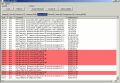 ApHeMo is a Health Monitoring analyser for Apache HTTP Server. ApHeMo makes administrators able to improve security, reliability and to easily detect attacks from hackers (scans, potential backdoors…). ApHeMo is a must have tool for dedicated servers administrators.
 Longo Blu-ray Copy software is a simple and powerful blu-ray software for copy blu-ray movies. It can copy any blu-ray movies to a computer hard drive as BDMV folder or ISO file, it also can burn blu-ray movies to blank BD discs. Longo Blu-ray Copy makes perfect 1:1 ratio clone of the original blu-ray movies and allows users to copy only the main movie to save space and time.
 Aurora Blu-ray Media Player is a splendid Windows based multimedia player software which can play Blu-ray Disc, Blu-ray ISO files, standard Blu-ray folder, DVD, VCD, CD, and any other video formats as far as you can imagine. Its powerful function also displays in its compatibility with the state-of-the-art audio technology: outputting DTS HD 7.1, DTS/AC3 5.1.
 Tenorshare Data Recovery Standard is the powerful data recovery software. It is simple and has flexible recovery options that can help you restore files that have been lost in a variety of ways. Such as accidental deletions, partition changes, viruses and formatted partitions.
 Simpo PDF to Word Converter makes it easier to reuse the contents, such as text, tables and graphics, images or entire PDF documents, as it is able to convert the read-only PDF file to editable Microsoft Word, with all original contents retained well in converted Word documents so that you can spend less time retyping, copying and pasting. It also works as a PDF to Text converter to extract plain text from PDF and save as .txt.
 Bolide Movie Creator is an easy to use HD video editor for Windows. This HD video editor is here to sort out your problems and specially designed for non-techies! It is so easy to use that even a first-grader would cope! It offers effortless video editing and saves your time. Focus on being creative and imaginative instead of racking your brains on how to start using it.
 Ashampoo Core Tuner 2 enables you to use the complete power of your processor in the best possible way, while it hardly uses up any resources itself thanks to driver technology. The optimization of single processes can take place fully-automatic or manually. Furthermore, the new Live Tuner accelerates the start of new applications by instantly assigning all available resources, while the system is already working to full capacity.
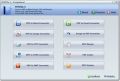 PDFZilla is a useful software toolkit for converting and handling PDF documents. With PDFZilla, users will be able to convert a PDF document into MS Word or Excel with only 3 mouse clicks. The program preserves the original quality of the PDF files and converts both text and images. Users can convert the entire PDF or selected pages only and event convert multiple files in the batch mode, which may come in very handy when working with large book or document archives.
 Leawo Blu-ray Ripper is an all-inclusive tool to process both Blu-ray and DVD content. It lets you rip Blu-ray and DVD to common/HD video in over 100 popular formats for playback on various media players like iPhone 5, iPad mini, Lumia 920, Galaxy S III, Xperia Z, Surface, Nexus 4, Nexus 7, etc. It could process Blu-ray content with AACS, BD+ and the latest MKB protection, and CSS-DVD as well. Leawo Blu-ray ripper could do far more than just ripping Blu-ray and DVD.
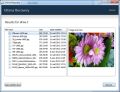 Get your deleted files back with Ultima Recovery. User-friendly interface, comprehensive location of all recoverable files. Support for most storage devices: hard drives, flash drives, external USB drives, digital camera cards, removable multimedia cards (e.g. XD, TransFlash, MMC, SD, MicroSD), etc.
 Simply erasing or reformatting your hard disk drive may not be enough to prevent your sensitive data from falling into the wrong hands. Disk Wiper Compact provides skilled resources and comprehensive wiping tools to safeguard your personal identity or company trade secrets!
 Batch Inpaint is a batch version of Inpaint – photo processing and retouching tool. While removing an unwanted object from a photo with Inpaint is easy, it may still consume a lot of time if you have a whole bunch of pictures to process. Batch removal of typical objects from images is what Batch Inpaint is designed for.
 Even if there is much more additional file information besides a file name that is saved with a file nowadays, file names are still the most important attribute for users when they search and hopefully find the data they are looking for. Anyway, there are many file names that are determined automatically and most users never change it later. The main reason why file names are not changed later very often is that it is very time consuming and boring if this concerns more than just 3 or 4 files. Finally, files are kept with such senseless names until the day where you do not find again what you are looking for.


